Linux
command:
list user
cat /ect/passwd | sort
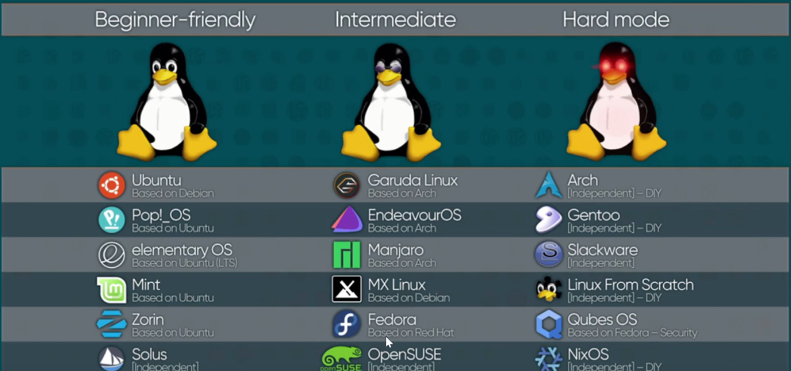
lsb_release -a | cat /etc/os-release
User and group: Each user has and unique id. User can be part of multiple groups. It must in a primary group.
useradd: create new user
passwd: change password
usermod: change user information
userdel: delete user

groupadd: create new group
groupmod: change group information
groupdel: delete group
- Change setting to allow login by username/password
vi /etc/ssh/sshd_config
PasswordAuthentication yes

after that should restart sshd service
sudo service sshd restart
Lab create a group groupadd developer_group
add user to group usermod -aG developer_group user1
Check group groups <user>
Add group to sudo group
-
sudo visudo
-
add %developer_group ALL=(ALL) ALL
-
File and folder
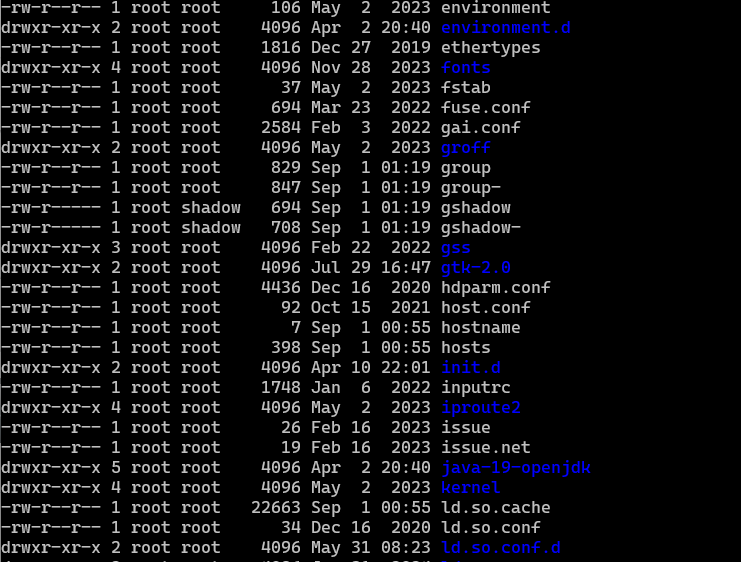
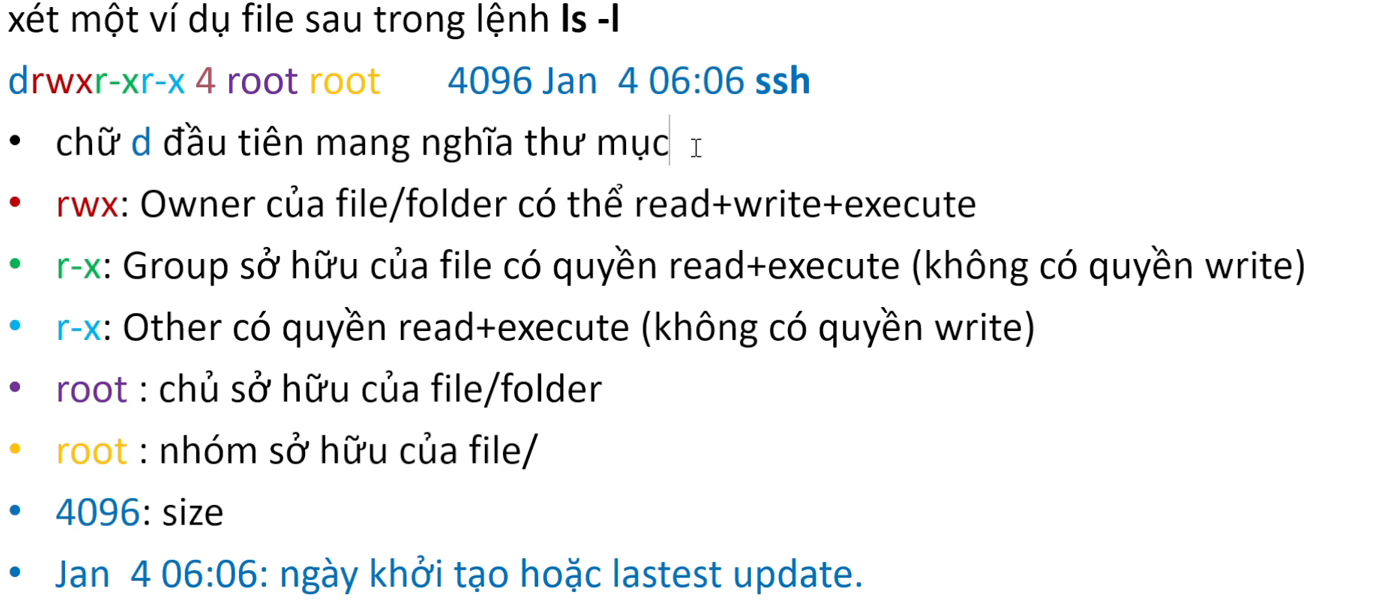
- Permission in linux have three groups: Owner, Group, Other.
- Owner is for user who create the file.
- Group is for group that owner belong to.
- Other is for all other users.
- Each group has three permission: Read(r), Write(w), Execute(x).
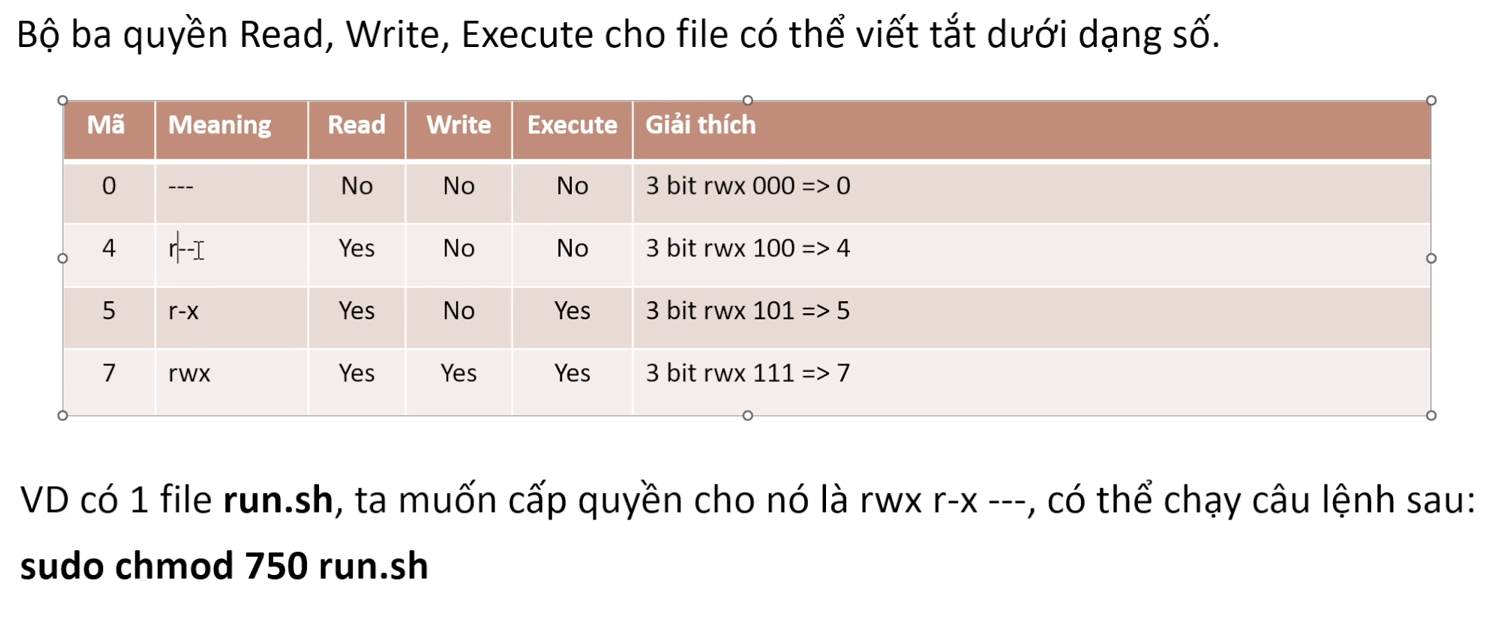
chmod [u|g|o] + [r|w|x]
Process
- Process là instance của một program đang chạy. Mỗi process được cấp 1 process id bởi OS.
- Process có các trạng thái: Running, Sleeping, Stopped, Zombie
ps # list all process of current user
ps -ef #list all process in detail format
ps aux # tương tự ps -ef nung có thêm thời gian start, cpu time consume.
ps -e# list all process ko quan tâm ai là owner
ps -l #list all process dưới dạng format dài
kill $PROCESS_ID
kill -9 $PROCESS_ID # force kill 1 process
Service
Là các chương tình hoặc tập hợp các chương trình được thiết kế để chạy ngầm và cung cấp các dịch vụ cho hệt thống hoặc cho các ứng dụng khác. Các service có thể khỏi động cùng với hệ thống hoặc thủ công
systemctl start $SERVICE_NAME
systemctl stop $SERVICE_NAME
systemctl status $SERVICE_NAME
systemctl restart $SERVICE_NAME
systemctl enable $SERVICE_NAME # enable service khởi động cùng với OS
systemctl disable $SERVICE_NAME # disable service khởi động cùng với OS
systemctl remove $SERVICE_NAME # remove service
EBS Disk and Mount Point
lsblk # List các partition
Use case: Tăng size ổ root trên EC2
- Modify volume trên console. Lưu ý 1 lần modify delay 12 tiếng.

- Tăng size volume trên linux
sudo growpart /dev/xvda 1
sudo xfs_growfs /dev/xvda1
Use case gắn thêm 1 ổ cứng
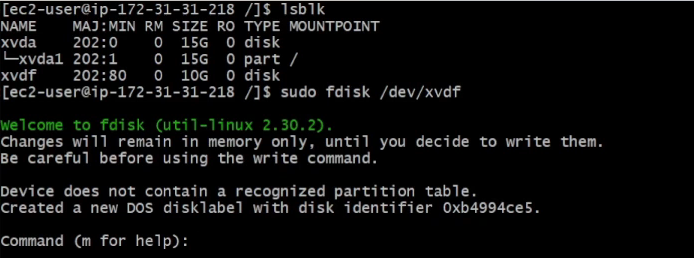
lsblk
sudo fdisk /dev/xvdf # Ấn m để vào help, press n, press p, press 1, press w để quit
# format partition
sudo mkfs -t xfs /dev/xvdf1

# mount
sudo mkdir /data
sudo mount /dev/xvdf1 /data

# Make volume auto mount
sudo blkid # Show list block disk

sudo lsblk -o +UUID # to check the UUID of partition by name

sudo vi /etc/fstab
Thêm 1 dòng ứng với UUID

# check
sudo unmount /Data
sudo mount -a
Cron job
- Là công cụ trong hệ điều hành linux giúp lên lịch thực thi các tác vụ tự động vào một thời điểm cụ thể.
- Cronjob linux được quản lí ở file: /etc/crontab
- Một số câu lệnh
crontab -l # list tất cả các cronjob của user hiện tại
sudo crontab -l # list tất cả cronjob của user root
crontab -e #để edit một cronjob
# Restart cronjob
sudo systemctl restart crond.service
OR
sudo service cron reload # for ubuntu
-
For most cron jobs, the default home directory is the home directory of the user who owns the crontab.
-
For the root user's crontab, this is typically /root.
-
For regular users, it's usually /home/username.
GIT